How do I duplicate a design element?
Duplicate any plant, object, or element on your canvas in one click to reuse it across your landscape design without searching the library again.
You can duplicate any design element to quickly create copies without adding items from the library again.
Step-by-step instructions
- Select the item you want to duplicate
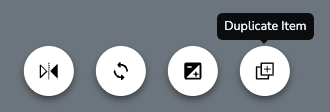
- Select Duplicate in the selected-item toolbar.
- A duplicate of your item will appear
- Now you can move, flip, resize, or otherwise edit your duplicate
- When you're finished with your duplicated item, click on any blank area of the canvas or press the Esc key on your keyboard to deselect it
Copying and Deleting Items
Duplicate design elements to reuse them across your landscape design, or delete the plants and objects you no longer need from the canvas.
How do I delete a design element?
Remove any plant, object, or element from your landscape design canvas with the trash icon or Delete key, and undo instantly if you change your mind.