How do I switch between workspaces?
Switch between your SimplyScapes workspaces in one click from the dashboard, moving instantly to another workspace with its own designs and settings.
Easily move between your different workspaces.
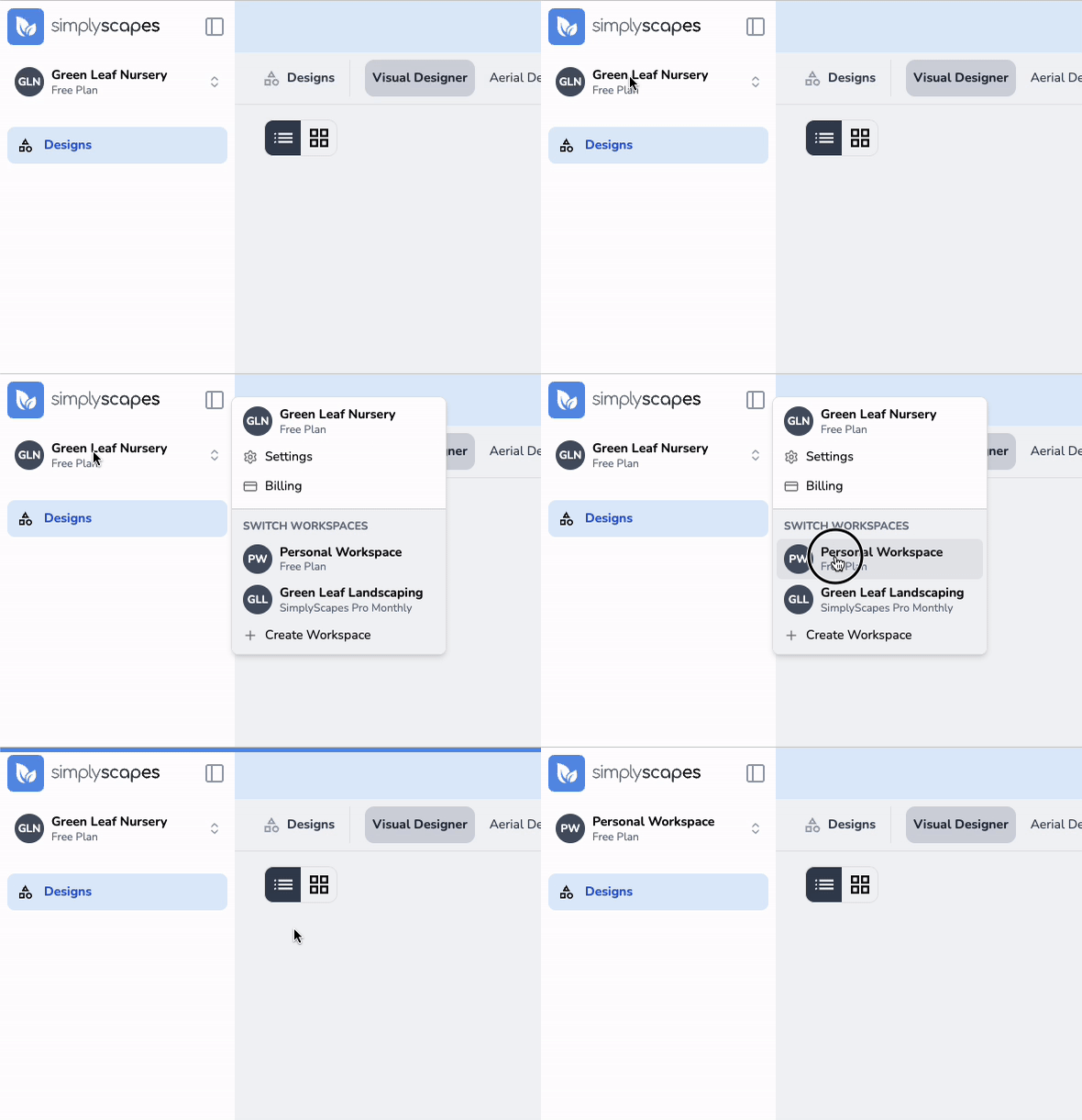
To switch workspaces:
- Click the workspace name in the top left corner of the dashboard
- View the list of your workspaces
- Click the workspace you want to switch to
You'll be immediately redirected to that workspace's dashboard with all its associated designs and settings.
Can I create multiple workspaces?
Yes, run multiple SimplyScapes workspaces to separate personal projects and different companies. Learn how to add and manage more than one workspace.
How do I delete a workspace?
Permanently delete a SimplyScapes workspace from the Danger Zone in settings. See exactly what data gets removed and why this action cannot be undone.