How do I update my workspace settings?
Rename a SimplyScapes workspace from its Settings page.
Manage the workspace name through the Settings page.
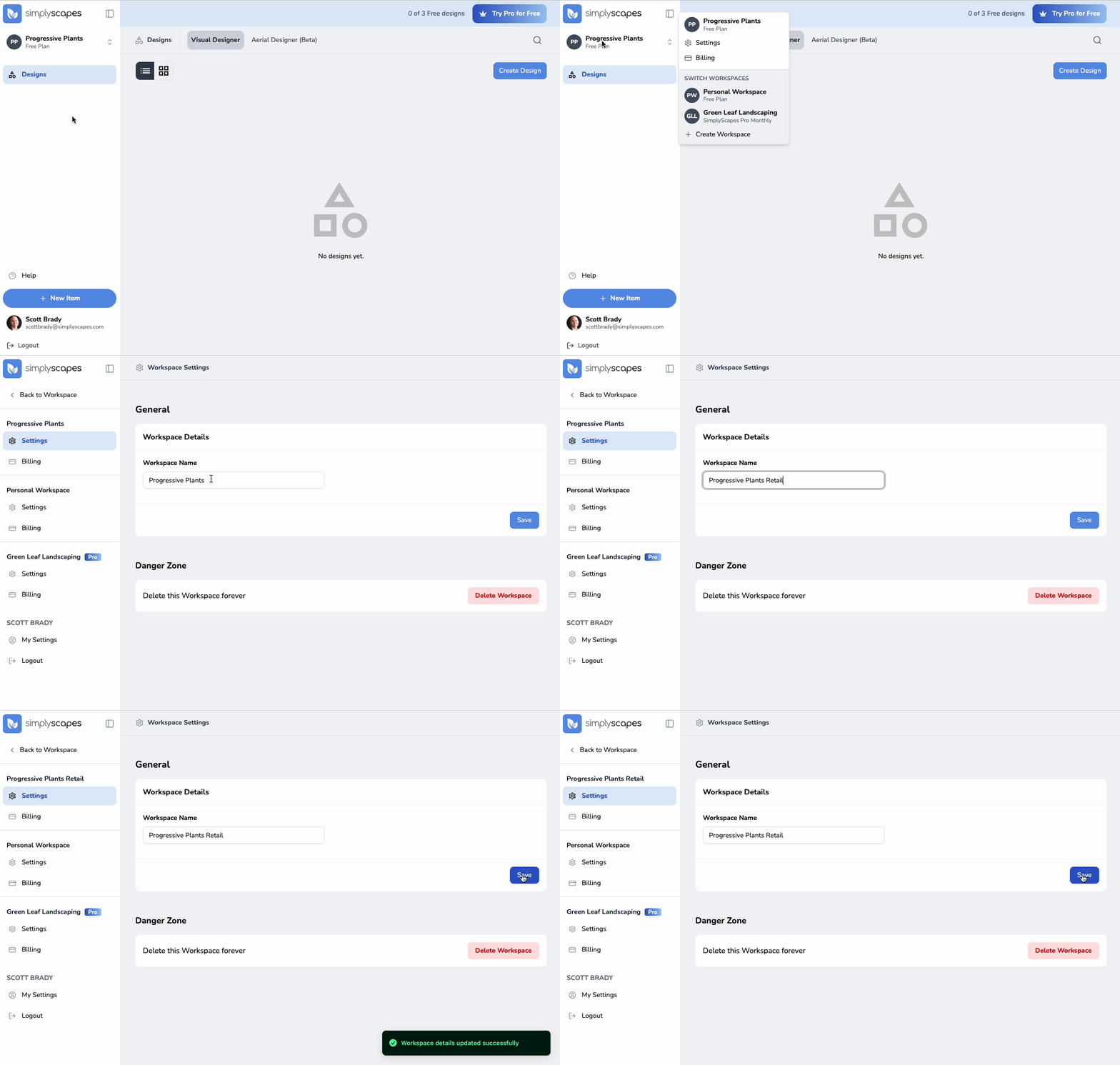
To access workspace settings:
- Click the workspace name in the top left corner of the dashboard
- Select "Settings" from the dropdown menu
- Update your workspace settings:
- Workspace Name - Change how your workspace is labeled
- Click "Save" to apply your changes
How does SimplyScapes Education work?
Apply for a free Education workspace, learn how school verification works, and invite eligible students age 13 and older.
Can I create multiple workspaces?
Yes, run multiple SimplyScapes workspaces to separate personal projects and different companies. Learn how to add and manage more than one workspace.